Frequently Asked Questions (FAQ)
Dryly® attaches great importance to customer satisfaction, which is why we are always open to feedback to further optimize our service and the Dryly® bedwetting alarm.
Through close contact with our customers, we strive to continuously improve our solutions for bedwetting. With the help of your feedback, we gain more and more insights that allow us to further develop our product and provide answers to frequently asked questions on this page.
Do you have a question about our products or do you encounter any questions while using our products? Check to see if you can find the answer on this page. Otherwise, please contact one of our specialists.
Our FAQ (frequently asked questions)
We have divided the most frequently asked questions from our customers into different categories. Take a look here:
- Ordering and delivery
- General
- The bedwetting alarm
- How do I re-pair my Dryly bedwetting alarm?
- The alarm (receiver/transmitter/app)
- App for the bedwetting alarm
- Receiver
- Error codes
- Transmitter
- Underwear
- Wizzu
- Mattress protector
- Manual
- Health insurance
- Medical professionals
- The Dryly website

Order and Delivery
Are the prices on your website inclusive or exclusive of VAT?
All prices on our website are displayed including VAT, unless otherwise stated.
What is the status of my order?
You will receive a track-and-trace code via email once your order has been shipped.
You can view the shipping status of your order. Please note that the track-and-trace code will only be updated at the end of the day when the order is shipped.
Are you being charged for shipping?
For orders under € 50, shipping costs apply. These costs may vary depending on the country, which you can find on this page.
How quickly will I receive my order?
Orders received before 4:00 PM will be processed on the same day and are usually delivered the following day.
My track and trace says the parcel was delivered, but I haven't received anything?
Sorry to hear that! Unfortunately, we find that this happens more often, especially during times of high volume for delivery services. We would like to ask you to wait two more days. We often see that your package will still be delivered!
I missed the delivery. What now?
Don't worry! This can happen, and the delivery service is aware of it.
If you have saved specific delivery preferences in your account, the delivery service will follow them.
Is this not the case? Then your package will most likely be dropped off at a collection point near you. You can also have your package left with your neighbors, or the package can be redelivered the next day.
Do you see in your tracking information that the package is being returned to us? Please contact our customer service, and we will be happy to help you find a solution!
General
What solutions are there for bedwetting?
There are several solutions for bedwetting. Which method is best for your child depends largely on the situation.
Bedwetting alarm method
This method is most frequently recommended by general practitioners and specialists due to its long-lasting effect. Normally, bedwetting does not stop from the first day. With the bedwetting alarm method, the communication between the brain and the bladder is trained. In this way, the bladder learns to recognize the signal of a full bladder. The bedwetting alarm is a sustainable method. On average, the training takes two to a maximum of three months.
Medication
Medication has the advantage of working immediately. The kidneys produce urine slowly at night. This is useful if your child is going to summer camp or a sleepover. The medication does not help any further with the underlying problem. If you stop taking it, there is a good chance that the bedwetting will recur.
Waiting
Every year, about 11 percent of bedwetting children experience a "spontaneous recovery." The switch is flipped and the signals are suddenly recognized. We strongly advise against this method, as a child's self-image can be seriously affected. Children who wet the bed go out less often to stay with friends and feel very restricted by this troublesome problem.
When do you use a bedwetting alarm?
More than 95% of all children suffering from bedwetting can be helped with the Dryly® bedwetting alarm method. We recommend that children with a medical problem or following a traumatic event consult their GP first. Since the bedwetting alarm method has no side effects, you can try it out directly in many cases.
There is a good chance that the bedwetting alarms will be of great help to your child. Depending on your insurance, full or partial reimbursement may also be possible.
Is bedwetting alarm training valuable for my child?
Bedwetting alarm training is generally suitable for children aged 4/5 and older who have difficulty staying dry at night. It is particularly effective if your child is motivated and there are no known underlying medical conditions causing the bedwetting. Studies show that bedwetting has no physical cause in 98% of children.
We often see that children who are very deep sleepers or are experiencing stress or tense periods can also be helped effectively with a bedwetting alarm. It may take a little more time and patience at first, but through consistent training, your child will learn to respond to the signal and eventually wake up dry.
If in doubt, you can always contact our customer service team.
From what age can the bedwetting alarm method be used?
From 4/5 years of age, the bedwetting alarm is a good solution for nighttime bedwetting. The child is then old enough to train signals that travel from the bladder to the brain. An earlier age is also possible, but it will likely take longer for the child to become dry, as the child's brain is not yet developed enough to recognize all the signals.
How long does bedwetting alarm training take?
On average, children are dry three months after using the bedwetting alarm. Every child who wets the bed is different, and this is also reflected in the treatment times. One child gets used to it immediately and stops bedwetting quickly, while for another child the problem lies a bit deeper, meaning it takes more time. Research shows that it takes an average of 52 days for a child to go four consecutive weeks without wetting the bed. One child is dry after just 3 weeks, another after 4 months.
With the help of the Dryly® bedwetting alarm, 93% of children are dry within 8 weeks!
My child is not making any progress, what now?
Progress is already being made if your child has fewer accidents at night than at the beginning. Every child is different, so the course will be different for everyone. It is important to check in with yourself to ensure you are following the recommended procedures.
These three points are super important:
- Getting up with your child at night. This leads to restless nights and is not fun, but it is crucial for the success of the bedwetting alarm method.
- Let your child hear the alarm sound a few times before they go to sleep. This can be done in the Dryly® bedwetting alarm app under "Bedtime." This way, your child knows what sound will wake them up.
- Give compliments when things are going well; this gives your child even more motivation to solve the bedwetting problem!
Is there a risk of relapse?
It sometimes happens that a child starts bedwetting again after you have stopped using the bedwetting alarm method. This can occur if you stop too soon or if your child experiences a period of stress, for example. After your child is dry, you should continue with the bedwetting alarm method for at least two weeks.
We see that it is relatively easy to regain control over the bladder if it was successful before. It is a matter of persevering and being consistent. For tips or additional support, you can always contact customer service!
What are the unique benefits of Dryly®?
Positivity
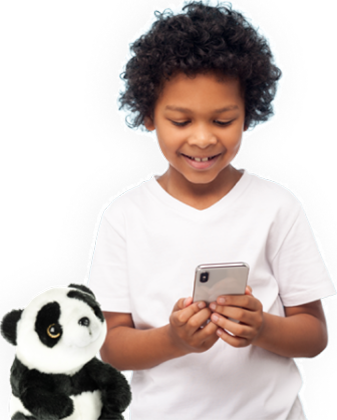
We know from our own experience how troublesome bedwetting is for both the child and the parents. That is why we have developed a unique method based on the scientifically proven bedwetting alarm method. Wizzu the panda bear is here to support your child and lighten the mood a little. Wizzu the panda bear takes your child on an adventure with games, smiles, and plenty of cuddly content!
The goal should be to work with your child during dry nights. Parental support is crucial to the bedwetting alarm method.
Insight
As a parent, you often only find out in the morning that your child has had an accident. Many children feel ashamed and do not tell you, so sometimes you don't find out until the next evening!
With our practical mobile app, you receive an immediate signal on your phone when an accident happens. You can also share this information with your doctor, giving you immediate insight into your child's bedwetting behavior. This could save you a few doctor visits!
How does the Dryly® bedwetting alarm work?
A Dryly® bedwetting alarm consists of a mobile app, a transmitter, a receiver, sensor underwear, and Wizzu the panda. The Superhero Package also includes a 100% waterproof mattress protector.
When it is time for bed, your child puts on the Dryly® underwear, to which the transmitter is attached. The receiver is placed in Wizzu’s back, making it look like Wizzu is waking your child up. Wizzu the panda bear can be placed next to your child's bed. Not in the bed!! (Because your child absolutely needs to wake up).
As soon as urination occurs, the transmitter (which is clicked onto the underwear) sends a signal to the receiver and the alarm in Wizzu goes off. This wakes your child up immediately! You can turn Wizzu off by removing the transmitter from the underwear, so it no longer sends signals to the receiver. Then, shake Wizzu back and forth 8-12 times, and the receiver will stop ringing. Since the alarm sounds at the very first drop, your child learns (subconsciously) to recognize the signal of a full bladder. When your child wakes up, they must go to the toilet immediately to urinate. As soon as your child is back, they put on clean underwear with the transmitter, and the process starts over.
It is important to trigger the alarm before your child goes to bed so that your child knows what will wake them up.
The receiver in Wizzu not only emits a sound but also sends a notification via the Wi-Fi network to the parents' mobile app. Parents are informed immediately and can help their child go to the toilet and change their underwear if necessary. Parental support is crucial for the bedwetting alarm method.
Can a bedwetting alarm be used for two children?
A bedwetting alarm can be used for one child at a time. It is possible to connect two children to the same app using the Dryly® bedwetting alarm.
Is it possible to set multiple bedwetting alarms in the app?
You can connect multiple children from one family to your Dryly bedwetting alarm app. You can create and manage multiple children from one family in a single account. It is not possible to add a child who is linked to another account.
What is included in the starter package?
You are ordering the Dryly® Starter Kit, and we’re going to turn it into a party! With this set, you are ready to work on bedwetting in a positive way.
The package includes a very friendly panda bear named Wizzu. He is every child’s friend and is packed with innovative gadgets. Depending on the package you choose, you will also receive two, three, or four pairs of underwear. The bedwetting alarm underwear contains sensor wires that detect moisture. We have underwear in cool colors and options for situations where more discretion is required. During this process, the Dryly® transmitter can signal Wizzu the moment moisture is detected. Wizzu wakes your child with a sound and immediately sends an alert to the parents' mobile app via the Wi-Fi network. The Superhero bedwetting alarm package also includes a waterproof mattress protector that keeps the bedding dry and helps your child fall back asleep quickly!
The starter kit contains:
- 2, 3, or 4 Dryly® underwear
- Dryly® panda plush toy (Wizzu)
- Dryly® receiver
- Dryly® transmitter
- Dryly® manual
- Waterproof mattress protector (with purchase of Superhero package)
- Mobile application for iOS and Android
The bedwetting alarm
My baby often tosses and turns at night; does everything stay in place?
The dry bedwetting alarm underwear features special snap fasteners with an extra-strong hold. This ensures the transmitter stays securely in place in the underwear throughout the night.
The transmitter doesn't stay attached to the trousers properly at night; what now?
Try pressing the transmitter firmly onto the underwear and give it a gentle tug to test it. If the transmitter does not stay in place, you can always pull a Dryly® sensor brief over it. This ensures the transmitter stays in place, even if your child moves around a lot in their sleep!
My child is staying home, can I take the bedwetting alarm with me?
Yes, the bedwetting alarm can be used and will work even if it is not connected to Wi-Fi. This is the “offline mode.” The alarm will still function, but no notifications will be sent to the Dryly® bedwetting alarm app.
Can the bedwetting alarm also be used during the day?
The bedwetting alarm can in principle also be used during the day. It is important that the receiver is within range of the transmitter, which is approximately 10 meters.
Can a diaper/pull-up be worn over Dryly® underwear?
No, that goes against the bedwetting alarm method. The intention is not to use diapers during the bedwetting alarm training. Of course, we understand that it is tempting to keep the bed clean to be able to move on quickly. In this case, you can pull an extra Dryly® underpants over it. Furthermore, the Dryly® mattress protectors are 100% waterproof, so you can still keep the bed clean!
Does my child really have to wake up when the alarm goes off?
It is really important that your child is fully awake when they go to the toilet at night. Therefore, do not take them to the toilet while you are sleeping. A good way to test this is to enter a code word after a simple math problem has been spoken. You can also check the next day if they remember the trip to the toilet.
I always wake my child up to pee at night to prevent an accident. What should I do now?
This depends heavily on the situation. The most important principle is that your child is embarking on an adventure to get through the nights in a positive way. If your child wets the bed three times a night, it may make sense to arrange a preventative trip to the toilet so that the alarm only goes off once or twice a night.
My child has suffered a relapse, what now?
A relapse is very normal and occurs frequently in children who have been dry for some time or are on an upward trend. Tell your child that it is not such a big deal and that you will do it together again. Remember that other causes, such as a bladder infection, could also be a factor.
It is always wise to contact your doctor if the relapse lasts for a bit longer.
If you are training with the bedwetting alarm method, it is important that you train until you have 14 consecutive dry nights.
How do I reconnect my Dryly bedwetting alarm?
How do I reconnect my Dryly bedwetting alarm?
When your child returns from a sleepover or a holiday, you sometimes need to reconnect the Dryly bedwetting alarm to the Dryly app.
- Turn on the receiver and hold the black button down for 20 seconds (Reset 1) until the message "Transmitter out of range" appears.
- Pair the transmitter and receiver again by placing both on the charger together for 1:30 minutes until "Transmitter connected" is reported.
- After that, open the Dryly app and follow the steps to reconnect with Wizzu.
- Have your Wi-Fi details ready and follow the instructions in the app for iOS or Android.
The alarm (receiver/transmitter/app)
My child is not woken up by the sound of the receiver.
Children who wet the bed generally sleep deeply. It may happen that your child does not wake up at the beginning of the bedwetting alarm training. It is important to know that this is a training process that can take three months. It really takes time. It is certainly not surprising if your child does not wake up at first; the first two weeks in particular can be very intense.
It is very important that your child hears the Wizzu alarm (the receiver) before going to sleep. You can do this by clicking on the “Going to bed” menu (blue bar) in the app and then selecting your child. You will then be taken to the “Sleep” menu, where “Play Wizzu alarm sound” is displayed in the top bar. By pressing the “Play” button, the Wizzu sound will play from your phone.
If you play this sound a few times before going to sleep, there is a good chance that it will wake your child up at night. This really takes 1 to 2 weeks.
Two tips for the bedwetting alarm training if you are not yet seeing results:
1. Remove the receiver from Wizzu (the panda bear) so that the sound is a bit louder. This can make a big difference for some deeply sleeping children.
2. Wake your child up thoroughly at first and let them take the transmitter out of their pants and shake it with Wizzu. This way, your child learns to associate these actions with bedwetting.
The receiver's alarm did not go off, nor did the alarm in the app.
The cause of this problem can be attributed to several components, so we will check them all.
Did the accident reach the Dryly app?
- No, proceed to the next check
- Yes
- Turn the receiver off and on. A startup message will play when the receiver is turned on.
- If no startup message or the message "Battery voltage low" appears, charge the receiver for 3 hours. (Check the battery voltage in the mobile app under the "My Wizzu" section).
- Turn the device back on and wait 15 seconds for the message: "Wizzu connected successfully".
- Perform a test by placing a metal surface (spoon or knife) on the two press studs of the transmitter and wait to see if the receiver goes off. If everything is fine, the alarm should go off now.
- If still no sound is played and the receiver is charged, then there is something wrong with the receiver; in this case, please contact customer service.
- Check if you have granted permission on your phone to receive notifications from Dryly® with urgent priority, and always check if the app sound is turned on (and not disabled in the settings) and the correct receiver is registered.
- Check if your phone is not set to "Do Not Disturb" or if you have granted permission on your phone to receive notifications from Dryly® with urgent priority.
Android:
- Go to Settings > Sound or Sounds and vibration on your phone. Go to "Do Not Disturb". If this option is not visible, swipe down first. Check with "Turn on now" to see if this function is disabled.
- Go to your notification settings, search for the Dryly® app, and check if all checkboxes are checked.
- Check if there are any third-party apps installed that always mute all notifications.
iOS:
- Go to Settings and press "Do Not Disturb/Focus", then you can see whether the "Do Not Disturb" mode is activated.
- Of course, your mute mode must also be turned off (switch on the left side of your phone).
- The Dryly® app has also requested permissions for urgent notifications. Did the app not do that? Go to "Settings" on your phone and then to Dryly®. Go to Notifications. Check if the following are enabled: "Allow Critical Alerts", "Allow Notifications", "Sounds", and "Badges".
- Go to "Settings" in the Dryly app. Check if the option "Mute all app alarms?" is enabled. The checkbox is enabled (to the left). Also, set the "Alarm volume" to a sufficient level.
- Go to "My Wizzu" in the Dryly app. Is the correct receiver registered? Check in the app under "My Account" if you are logged into the correct account.
The accident did nottrigger an alarm or notification in the app. Follow these steps
- First, check if the receiver is working and if the notification is visible in the message center of the Dryly® app.
- Turn the receiver off and then back on. A startup message will play when the receiver is turned on.
- If no startup message or the message "Battery voltage low" appears, charge the receiver for 3 hours. (Check the battery voltage in the mobile app under the "My Wizzu" section).
- Perform a test by placing a metal surface (spoon or knife) on the transmitter and wait to see if the receiver goes off. If everything is fine, the alarm will be triggered.
- If still no sound is played and the receiver is charged, something is wrong with the receiver; please contact customer service (085) 106 03 77
- Check the sensor underwear if the alarm does not go off at night in any case.
The receiver alarm sounds, but I am not receiving any alerts in my Dryly® app.
There can be various reasons for this (Wi-Fi, internet, phone, receiver). In the following, we will try to rule them out one by one.
- Check whether you have given your phone permission to receive Dryly® notifications with urgent priority and always check whether the app sound is turned on (and not disabled in the settings) and the correct receiver is registered
- Check whether your phone is not set to "Do Not Disturb" and whether you have given permission to receive notifications from Dryly® with urgent priority
Android:
- Go to Settings > Sound or Sounds and vibration on your phone. Go to "Do Not Disturb." If this option is not displayed on the screen, swipe down first. Under "Turn on now," check whether this function is disabled.
- Go to your notification settings, find the Dryly® app, and check whether all boxes are checked.
- Check that there are no third-party apps installed that mute notifications.
iOS:
- Go to Settings and tap "Do Not Disturb/Focus"; you will then see when "Do Not Disturb" mode is activated (switch on the left side of your phone).
- The Dryly® app has also requested permissions for urgent notifications. Go to Notifications and check whether the following are enabled: "Allow Critical Alerts," "Sounds," "Badges."
- Go to "Settings" in the Dryly® app. Check whether the message "Mute all app alarms?" is displayed. The checkbox is enabled (to the left). Receiver logged in? In the app under "My Account," check whether you are logged into the correct account.
Also check whether the date under "Last seen" is current (a maximum of 60 minutes). If this is older, Wizzu may be having problems connecting to your Wi-Fi. In that case, change the settings in your phone network.
- If it is still not clear exactly where things are going wrong after these checks, you can still perform the following test.
The receiver alarm is triggered, but the alarm is delayed (>1 minute).
Many phones have “Do Not Disturb” mode enabled at night, which blocks notifications. The idea behind this is to allow the user peace of mind. In this case, that is not very useful, as you want to wake up when your child urinates. You can disable this by turning off “Do Not Disturb” mode. This differs between Android and iOS/Apple.
Android
- On your phone, go to Settings > Sound or Sounds and Vibration. Go to “Do Not Disturb.” If this option is not visible, swipe down first. Check under “Turn on now” to ensure this feature is disabled.
- Go to your notification settings, search for the Dryly® app, and check that all checkboxes are enabled.
- Check that no third-party apps are installed that automatically mute all notifications.
iOS:
- Go to Settings and click on “Do Not Disturb/Focus” to see when “Do Not Disturb” mode is enabled.
- The Dryly® app has also requested permissions for urgent notifications. Did the app not do this? Go to “Settings” on your phone and then to Dryly®. Go to Notifications. Check that the following are enabled: “Allow Critical Alerts,” “Allow Notifications,” “Sounds,” and “Badges.”
- Try an evening without a Wi-Fi connection. It sometimes happens that the connection is more active when the device is not connected to Wi-Fi.
- A possible solution can also be to install the Dryly® app on a tablet/other device. This can determine whether the problem is related to the device or another issue.
- Check that your Wi-Fi router has a constant and stable internet connection and that the time zones of this device are not so weak that Wizzu loses its connection and sometimes struggles to reconnect. A useful tip is to set Wizzu up exactly where it will be placed (usually near the bedside table).
The alarm is going off even though no accident has occurred.
It can sometimes happen that there is a manufacturing defect in the pants that causes the two wires to be too close together, resulting in the transmitter automatically sending a signal to the receiver, even though no accident has occurred. This causes the transmitter to assume that the circuit is closed, which signifies an "accident."
- Press the transmitter onto the pants and turn the system on as usual. Squeeze the pants together. If the alarm sounds, please contact customer service. This indicates that there is a manufacturing defect in the pants.
- If the above works well and no alarm is triggered, there are two possibilities:
- To reach an accurate diagnosis more quickly next time, you can assign a unique feature to the "suspect" underwear so that if the same problem occurs again, a replacement can be provided under warranty. Please contact customer service.
Dryly® Bedwetting Alarm App
How does the activation code work in the app?
When you start the Dryly app, it will ask for an activation code. You can find this activation code on a blue slip of paper in the package you received.
This activation code is valid for 16 weeks, based on the average training duration and additional time. If you are still working on the bedwetting alarm after 16 weeks, or if you would like to continue with another child using the Dryly bedwetting alarm app, you can request an extension free of charge at dryly@karlbachmannag.ch!
The Dryly app is always available free of charge for first-time customers.
Can the Dryly app be used for free?
Yes, the Dryly app is free for first-time users. Once the activation code expires after 16 weeks, you can request a free extension via dryly@karlbachmannag.ch.
As a second-hand user, you can choose to purchase a monthly subscription for €7.95 per month. The alarm clock can, of course, also be used in offline mode without using the app.
Does the Dryly® app use a lot of mobile data?
The Dryly app is a type of app that uses extremely little internet bandwidth. This is because values are only retrieved from the server.
I am not receiving any notifications in the Dryly app
Do you notice that the notifications in the Dryly app are not being displayed correctly? Below you will find a number of possible causes and solutions:
1. Enable notifications: You may not have allowed all notifications yet. Therefore, first check the Dryly app settings and ensure that silent mode is disabled. In addition to the in-app notifications, it is also possible that you have not selected everything correctly in your phone's general settings. To do this, go to Settings -> Apps -> Dryly and check here whether you have allowed all notifications.
2. Airplane mode/Night mode: As a parent, you may sometimes sleep with airplane mode or night mode turned on. Make sure that neither of these modes is enabled. This can interfere with the bedwetting alarm and the notifications.
3. Reset 1: Sometimes an installation is not completed correctly, which means that messages are not received. In this case, follow the steps again to establish a connection.
Does that not seem to work? If so, please contact our customer service. This can be done by phone at (085) 106 03 77 or you can contact us via email at dryly@karlbachmannag.ch.
Can I use the Dryly® bedwetting alarm without Wi-Fi?
Yes! Even if your child is staying overnight, Wizzu can come along! Wizzu will not send a notification to the mobile application, but will instead wake your child up via Wizzu, the panda bear, to go pee!
All of this works in offline mode, which functions as follows:
Offline mode is a special mode for families who use the bedwetting alarm app when you do not want to use it or when the child is sleeping away from home.
- If you are already connected to Wi-Fi at home, turn on the receiver by pressing the black button once (ensure the transmitter is away from the receiver).
- Now hold down the black button for at least 20 seconds and then release it. The set will turn off. Switch the receiver back on; you will now hear the message "Transmitter out of range." The reset has now been successfully completed.
- Now click the transmitter back onto the receiver and place it on the charger (the light will turn on). After 1 minute and 30 seconds, the receiver will say "Transmitter connected." The transmitter is now connected to the receiver.
- Then remove the receiver from the charger and place the transmitter next to the receiver. Switch on the receiver; after 5 minutes, the message "Wizzu in offline mode" will appear automatically.
- The set is now in offline mode and you can start the training. Will you use the set again later? Switch it on and wait another 5 minutes until the message "Wizzu in offline mode" appears. You can start the training again.
As soon as Wizzu is back in its trusted network, it will immediately update your calendar with the dry and wet nights completed while offline.
It is not possible to connect Wizzu to the Wi-Fi, what now?
This can have various causes. Firstly, it is important that you charge the receiver for 3 hours before first use. If the device is not charged properly, the connection may not be established.
Secondly, the order of the installation steps is important. The steps should be carried out in the order given below.
Do you have the Dryly® transmitter, and Wi-Fi details at hand? Ensure the receiver is charged for at least 3 hours before first use. Download the app and create an account. Enter your child's details.
- Go to "My Wizzu" and press "Link Wizzu" (blue button).
- Select the child you want to link the Wizzu to.
- Follow the steps and press "I am ready".
- Check that you have everything to hand using the app checklist.
- Press "Check, let's go"
- Read through the steps carefully by
- Turn on the receiver; is it already on? Turn it off by pressing the black button for 3 seconds, then turn the receiver back on by pressing the black button once. It is important that the receiver enters "pairing mode". This takes about three minutes, so wait for three minutes
- Press "Next step" in the app
- Press "Connect to Wizzu" in the app
- Does your phone ask to connect to "Wizzu"? Then press "Connect".
- Wait until your phone is connected to the Wizzu Wi-Fi network.
- Select your home network.
- Enter your home network password and press "Ok".
- Wait until everything is set up correctly.
- If the receiver is successfully connected to the internet, "Wizzu has been successfully connected" will appear.
Finally, always check that the permission settings for "Location" are correct.
- Go to the settings on your phone
- Go to the Dryly app
- Go to "Location"
- Ensure the checkmark is set to "Always"
The Dryly®-App on iOS and Android requires this permission to connect to local Wi-Fi networks in your area. Because Wizzu temporarily establishes a Wi-Fi connection with your phone and the Dryly®-App during setup, this "Always" permission is required for this process.
My phone does not automatically connect to Wizzu in the app.
This happens sporadically on Android phones. The app offers the option to do this manually on a 2nd or 3rd attempt. The Android phone prompts the user to do this themselves. The button then redirects to the settings app on your phone. Afterwards, select the Dryly® Wi-Fi network in the Wi-Fi settings and then return directly to the app.
Can I use the app on multiple phones?
Yes, you can create an account by phone and invite them using the device on which the bedwetting alarm is registered.
Go to "Settings" in the Dryly® app and click on "Invite parents". After entering the name and email address, a link will be sent that the invitee can open. The receiving party must already have the Dryly® app installed.
In summary: Menu>>Settings>>Invite parents.
How do I invite a user to the Dryly® app?
It is possible to grant another parent, guardian, or babysitter (temporary) access to the Dryly® app. The new user will have insight into the dashboard and will receive the alarm via the Dryly® app. The new user will have insight into the dashboard and will receive the alarm on the Dryly® app if an accident occurs. This can be useful if your child is sleeping somewhere else, a babysitter is looking after your child for an evening, or in a situation involving divorced parents.
Note:
- The invited user has full insight into the child's dashboard.
- Children from another family already in the account of the user accepting the invitation will be deleted!
- You can deny access in "Settings" by clicking on the slider behind the name to turn it grey.
Send invitation :
In the Dryly® app, go to "Settings" and click on "Invite parents". After entering the name and email address, a link will be sent that the invited party can open. The receiving party must already have the Dryly® app installed and an account created.
In summary: Menu>>Settings>>Invite parents.
The sent invitation link no longer works.
The link has likely already been clicked and is no longer valid.
- Make sure that the person invited has created their own account and is logged into the Dryly® app.
- Allow the invited person to click the link on the device where the Dryly® app is installed. Links are sent via email. It is best to first install the Dryly® app if you have been invited, create an account, and then use the invitation link.
How can I change my password in the Dryly® app?
In the app, we have made it possible to change the password for your Dryly® bedwetting alarm app account. Did you create an account using the Facebook feature? If so, it is not possible to change your password. You cannot change the password for your Dryly® webshop account in the Dryly® mobile app.
Open the Dryly® mobile app, click on the hamburger menu in the top left, go to "My account," click on "Change password," enter the new password, and press "OK"; you have successfully changed your password.
Summary: Menu >> My account >> Change password.
How do I transfer the app to my new phone?
- Install the Dryly® bedwetting alarm app on your new device.
- Log in with your account details.
- You can now access your account again.
How can I change a parent's name in the Dryly® app?
It is possible that you accidentally entered your name incorrectly during registration. This can be easily adjusted in the app.
Go to the app's hamburger menu, tap "My Account," then tap your own name to change it.
In summary: Menu>>My Account>>Your Name>>edit.
How can I change a child's name in the Dryly® app?
It may happen that you accidentally entered your child's name incorrectly during registration. This can be easily adjusted in the app.
Go to the app's hamburger menu and then tap on "My children." You will then see your child's name; tap on it and select "Change name."
Summary: Menu>>My children>>Child's name>>Change name.
How can I remove a child in the Dryly® app?
Removing a child is sometimes useful if your child is no longer using the Dryly® bedwetting alarm or if an extra child was created by mistake.
Note: Deleting a child will result in the loss of all history and you will no longer be able to view statistics. Once you have deleted a child, you cannot undo this action.
To delete a child, follow these steps: tap the hamburger menu in the app, tap Settings, tap your child’s name, and select “Remove child”.
Summary: Menu >> Settings >> Child's name >> Remove.
How can I remove the recipient/Wizzu in the Dryly® app?
Sometimes you may want to remove the receiver from the Dryly® app, for example if you want to install the receiver on a new Wi-Fi network or connect a new receiver to your child.
Note; By removing the receiver, you will not receive a notification on your smartphone if your child has an accident. The receiver will continue to sound an alarm if your child has an accident and the receiver is switched on.
Press the hamburger menu in the Dryly® app, then tap "My Wizzu", and then the bar where the transmitter and receiver are visible. A menu will then appear where you can select "Delete Wizzu".
In summary: Menu>>My Wizzu>>Transmitter and receiver>>Delete Wizzu.
How can I remove false alarms from the app?
In your child's dashboard with a linked bedwetting alarm, you can delete test notifications or manually add missed alarms. You can delete a notification by selecting a day in the calendar. You will then first receive an overview of the alarms on that day. Behind the alarm is a trash can icon, which you can use to delete the message/alarm.
How can I change the language?
The app's language is automatically the same as your phone's language. If the phone is not set to Dutch, English, or French, it will automatically switch to English. The language of Wizzu/recipient cannot be changed.
How do I mute the Dryly® app?
In the Dryly® App, you have the option not to receive an alarm when your child has had an accident. If you activate "Mute all app alarms", the alarm will no longer sound on the device you are logged into.
In summary: Menu>>Settings>>Mute all app alarms.
How do I turn down the volume of the Dryly® app alarm?
If you would like to lower the alarm volume in the app, you must do so each time the “going to bed” ritual is completed. After the “going to bed” ritual, the app sets the volume to maximum. This can be done by moving the ball to the left under “Alarm volume” in the settings.
Menu>>Settings>>Alarm volume (after every “going to bed” ritual)
The alarm sounds three times in succession at 1-minute intervals.
If you receive an alarm via a push notification on your device, you can tap it. By tapping it, you indicate that you have seen the alarm. The alarm will then be turned off on the server. If you do not tap the push notification, you will receive a new push notification twice per minute. You must therefore open the app when you receive the notification. This will automatically turn off the alarm.
Even if you wait too long before opening the push notification or shaking the receiver in Wizzu the panda bear, you will receive a new push notification.
The notification in the app arrives much later than when Wizzu starts.
The connection between Wizzu and the transmitter is made directly via Bluetooth. Once the sender has sent a message to the receiver, the receiver sends an anonymized notification about the alarm via the internet to the secure server, which then sends a further notification to the app. The average processing time is between 2 and 3 seconds, although it may take a while for the phone to process this. Longer delays are often due to a poor internet connection, an unstable Wi-Fi connection, or a phone in power-saving mode.
At night, notifications arrive in the app with a significant delay.
Many phones have a nighttime mode that delays or blocks notifications. This is impractical for bedwetting alarm notifications.
Android
- Check Settings to see if night mode or power saving is active.
- Check the notification settings of the Dryly app and enable all alerts.
- Check if third-party apps are muting notifications.
iOS
- Check Settings to see if Focus/Do Not Disturb is active.
- Enable critical alerts, sounds, and badges for the Dryly app.
- If necessary, test the app on a second device to narrow down the cause.
How does the app's point system work?
There are three ways to earn points. Your child can use these points to buy gadgets for dressing up Wizzu.
· At the start of the training, your child receives 75 points once everything is properly installed.
· Before the night when you complete the checklist, your child receives 50 points.
· For every accident at night, your child receives 20 points.
We believe that an accident should not be seen as a negative experience. With every accident, your child learns that it is part of the path to toilet training, so this is rewarded!
ATTENTION! This recipient FAQ applies only to packages with a purchase date from May 12, 2023.
Recipient
How do I charge the receiver?
You charge the transmitter and receiver with a USB-C charger. To do this, click the transmitter onto the receiver and then place it on the charger. You must charge the device every other night for +/- 4 hours.
How do I know if the receiver is charging?
You can tell if the transmitter and receiver are charging by the light on the receiver. When you are charging the set, the light glows red. When the receiver is fully charged, the light glows green.
How long does the receiver battery last?
You should switch off the receiver during the day. This way the receiver lasts for two nights. We therefore recommend charging the receiver and transmitter every other day. You can see the battery level of the receiver in the app.
Should the receiver be turned on or off during the day?
To ensure that the receiver is fully charged at night, you must switch the receiver off during the day.
Can the receiver's volume be turned up or down?
The sound of the receiver can be adjusted. The device must be switched on to do so.
By briefly pressing the black button, you can change the volume: 100% -> 75% -> 50% -> Mute -> 100%.
Note: Press the button for approximately 1 second each time and allow a pause of about 3 seconds in between. After an incident during the night, the receiver resets to 100%. In mute mode, only the sound is turned off (app and vibration transmitter, if applicable, remain active).
How do I turn on the receiver?
Press the black button once. You will hear a tone, the receiver is switched on.
If the transmitter and receiver are not yet connected, the receiver will display the out-of-range error code and then switch itself off. In this case, you must place the transmitter onto the receiver in the charger. After approx. 01:30 minutes, the device will announce "Transmitter connected", after which you can connect the device to the app.
How do I turn off the receiver?
Press the button for three seconds. You will see the light go out; the receiver is switched off.
Is it not working? Then perform Reset 2 (see below); this will reset the receiver to factory settings and the receiver should be fully operational again. The receiver retains all data and your account will not be lost.
What do the different colored lights mean?
Green = 40-100% | Red = 0-40%
Note! The light only indicates the receiver's battery level. To check the exact battery level of both the transmitter and receiver, you can check the app.
How do I perform reset 1?
Make sure the device is switched on and the transmitter is pointing away from the receiver. Press and hold the black button on the receiver for 20 seconds. You will then hear “Transmitter out of range.” This resets the device to factory settings (the Wi-Fi network, transmitter, and app connection will be deleted).
Afterwards, you must pair the transmitter and receiver again by charging for 01:30 minutes. You will then hear “Transmitter connected” again and the transmitter will be reconnected. Once the transmitter is connected to the receiver again, you can pair the set with the app once more.
How do I perform reset 2?
Insert a pin or a paperclip into the hole in the letter “D” on the receiver. The light will flash. This resets the receiver to its factory settings. You do not need to pair the device with Reset 1 again.
How do I put the receiver into silent mode?
You turn the receiver on by pressing the black button once. When the receiver is on, press the black button three times. After pressing the button three times, the receiver is in silent mode. It is important that you hold down the button for approx. 1 second at intervals of 3 seconds.
In silent mode, only the app turns off (and a vibration transmitter, if you have this version). Convenient for discreet moments like an overnight stay!
ATTENTION! This information regarding error codes is only suitable for packages with a purchase date up to May 12, 2023.
Error codes
When I turn on the receiver, I immediately hear "transmitter out of range"; what now?
If the transmitter has not yet established a connection with the receiver, you will hear the message “Transmitter out of range.” This means that you have not yet connected the transmitter and the receiver.
Cause
This problem can have two causes: The device should display “Transmitter connected” on the charger after 01:30 minutes. If this is not the case, it may be due to the following:
Charged device
When using the device for the first time, it is important to charge it properly! Do this for +/- 4 hours with the transmitter on the receiver. If you do not do this, the set cannot connect to each other.
Defective charger
If the transmitter does not connect to the receiver, this may be due to a defective charger. Check whether the charger is working properly. A non-functioning charger can mean that the connection between the transmitter and the receiver is not found. Always test a second charger.
Solution
If the problem persists and you cannot find a connection between the transmitter and the receiver, then something does not seem to be working quite right in the receiver. In this case, please contact Dryly® customer service immediately.
My bedwetting alarm keeps going off at night; what now?
If the bedwetting alarm continues to go off at night for no apparent reason, then something is not quite right and that is extremely annoying! There can be several reasons for this:
The transmitter is still attached to the pants
If your child has an accident at night, it is of course important to go to the toilet as quickly as possible to urinate. In these hurried situations, you naturally want to turn off the alarm quickly, but sometimes you forget to remove the transmitter from the pants and then shake the receiver. Since the transmitter is still in contact with the pants, pulses continue to be emitted from the wet pants. Therefore, always make sure to remove the transmitter from the pants.
Moisture on the transmitter's snap fasteners
At the beginning of bedwetting alarm training, heavy nighttime accidents often occur. In this case, there could be some moisture on the two snap fasteners of the transmitter. Pat it dry with a cloth and then shake the receiver again.
Reset 2
Press a needle or a paperclip into the hole in the letter "D" on the receiver. The light will flash. This resets the receiver to its factory settings. There may be a malfunction in the receiver that causes the alarm to continue sounding. Afterwards, perform a metal test to see if the alarm is triggered when shaken. You can perform a metal test by pressing a metal object against the two snap fasteners of the transmitter to simulate an accident.
If you are still unable to turn off the alarm after these three steps, please contact Dryly® customer service.
My bedwetting alarm is going off at night, what now?
If the bedwetting alarm suddenly stops working at night, it may indicate a problem with the battery or the connection. It is possible that the device is not sufficiently charged or there is a connection issue. Below you will find solutions to prevent this:
Charge the device properly
The device must be properly charged every other day. Therefore, do this every second day for +/- 4 hours. If you do not do this and the receiver battery is too low, the battery may fail during the night.
Connection between transmitter and receiver
The transmitter and receiver are connected via a Bluetooth connection. This connection is generally strong and is primarily intended to allow children to get out of bed themselves. Children can sometimes sleep on their stomachs or be heavy sleepers, which suppresses the signal. If this is the case over a longer period, the transmitter and receiver try to find each other, but this is sometimes not possible because the body blocks the Bluetooth signal. In this case, we recommend placing the receiver slightly closer to the child at hip level. This ensures the signal is optimal and the receiver will no longer cut out!
If the set still fails after trying both solutions, please contact Dryly® customer service.
Wizzu is in offline mode, what now?
You will receive this notification automatically after 5 minutes if you are not yet connected to a Wi-Fi network and therefore not connected to the app. This allows you to use the bedwetting alarm when your child is sleeping away from home but still needs to be woken up to urinate.
Cause
This error code can have several causes. The most obvious reason is that your home network does not have an internet connection. Another common cause for this message is the use of "Wi-Fi extenders." In many households, these are used to boost the Wi-Fi signal so that there is coverage in the basement or attic. If the "Wi-Fi extender" itself has a poor connection to your Wi-Fi network, the receiver obviously cannot connect to the internet via this device.
Solution
You can easily test the quality of the connection by connecting to the same Wi-Fi network that the receiver is connected to. Then go to a website or YouTube and check if the content loads quickly.
If the problem persists, try connecting to another network if one is available. Otherwise, please contact the Dryly® customer service.
My transmitter is out of range, what now?
Sometimes the app displays the message "Transmitter out of range". This means that the transmitter needs to be activated again (sometimes you see this immediately after installation, when an initial pulse triggered by an accident is necessary to load everything correctly).
Cause
Once you have completed the installation, you can see the battery percentages of the transmitter + receiver in the app under "My Wizzu" in the left-hand hamburger menu. If "Transmitter out of range" appears here, it seems that the transmitter needs to be activated again.
Solution
Remove the transmitter from the receiver and then switch the device on, if it is not already on. Wait until you hear "Wizzu successfully connected" after 15 seconds. The transmitter and receiver are now connected.
Take a metal object (for example, a knife or scissors) to simulate an accident. You can achieve this by holding this metal object against the two press studs of the transmitter for about 3 seconds. Remove the metal object from the press studs and stop the alarm by shaking the receiver back and forth. Process all notifications in the app and return to the "My Wizzu" page to check whether the transmitter's battery level is now included.
Is that not the case? Please contact Dryly® customer service
My transmitter is no longer charging; what should I do?
If the transmitter is not charging, there may be an issue with the charging cable or the battery of either the receiver or the transmitter, as the transmitter is charged via the receiver. There can be various causes and solutions for this as well:
Reset 2
It is possible that something is wrong with the receiver, preventing the transmitter from charging. In this case, you can perform a Reset 2. Insert a needle or a paperclip into the hole in the letter "D" on the receiver. The light will flash. This resets the receiver to factory settings. Now, charge the set for a few hours and check if the transmitter battery is now charging.
Re-linking the bedwetting alarm to the app
Ensuring the device is turned on and the transmitter is away from the receiver. Press the black button on the receiver for 20 seconds. Afterwards, you will hear "Transmitter out of range". This resets the device to factory settings (Wi-Fi network, transmitter, and app link will be deleted). Afterwards, you must re-pair the transmitter and receiver by charging it for 1 minute and 30 seconds. You will then hear "Transmitter connected" again, and the transmitter will be reconnected to the receiver.
If the transmitter battery is still empty after these two solutions, please contact Dryly® customer service.
My bedwetting alarm is going off, what now?
If the bedwetting alarm is rattling, it may be an indication that the alarm microphone is loose. Although this does not affect the function of the bedwetting alarm in most cases, the sound can be distracting and may make you feel uncertain when using it. It is therefore advisable to contact Dryly® customer service to resolve the issue.
ATTENTION! This FAQ for Transmitter 2.0 is only suitable for packages purchased on or after May 12, 2023.
Sender
How do I charge the transmitter?
You charge the transmitter by clicking the transmitter onto the receiver and then placing it on the charger. You must charge the transmitter every other night for +/- 4 hours.
The receiver displays the message "Transmitter out of range".
You may hear the message “Transmitter out of range”. This means that the receiver has been searching for the transmitter's signal for some time but has been unable to detect it.
Cause: The transmitter has not yet been linked to the receiver.
When you receive our bedwetting alarm, linking the transmitter is part of the process. You connect the transmitter to the receiver by charging them together. After 1 minute and 30 seconds, the device will announce “Transmitter connected”. You only need to do this once and hear it once. Did you not hear this? Perform Reset 1 and try again. This step may not have been fully successful. Please contact Dryly® customer service.
Reset 1
Press the black button on the receiver for 20 seconds. Ensure the device is switched on. Afterwards, you will hear “Transmitter out of range”. This resets the set to factory settings (the Wi-Fi network, transmitter & app connection will be deleted). You will then need to re-pair the transmitter and receiver during the charging process.
Reset 2
Push a pin into the hole in the letter “D” on the receiver. This will restart the receiver. You do not need to re-pair the set.
How do I turn off the transmitter's vibration function?
When the transmitter vibrates, the transmitter will vibrate for the next 20 seconds. After that, the vibration function switches off.
Hose
Can I reorder trousers?
Yes! At the beginning, it is definitely advisable to order several additional pants, as your child will have accidents more frequently at night in the beginning.
How does the sizing work?
Dryly uses European sizes. You can view our size chart here.
How is the fit of the trousers?
The trousers have a regular fit. You should therefore order the size your child normally wears for underwear.
How do I wash these trousers?
The trousers can be machine washed at a maximum of 60 degrees Celsius.
Can the trousers be put in the tumble dryer?
The trousers can be tumble dried on a low heat setting.
I cannot attach the transmitter to the trousers.
- Lay the pants flat on a hard surface.
- Try to push the transmitter down from the top. You can use some force.
- Remove the snap fastener by placing something with a flat surface (scissors or a knife) between the transmitter's snap and the receiver's snap and tilting it.
- If this works, repeat the process a few times until the transmitter's snap and the pants' snap fit easily.
- Now you can use the pants.
Wizzu
Can I reorder Wizzu, the panda bear?
Yes! You can easily order a new Wizzu via the Dryly website. Take a look at the "loose products" heading.
How was I doing, Wizzu?
The Wizzu teddy bear can be hand-washed. Ensure that it dries thoroughly. Preferably outdoors.
Mattress Protector
Can I reorder the mattress protector?
Yes! You can easily order a new mattress protector via the Dryly website. Take a look at the heading “loose products”.
How do I wash the mattress protector?
The mattress protector can be washed at a maximum of 60 degrees Celsius. The mattress protector cannot be tumble dried.
Manual
I have lost my manual
Have you lost your manual? You can find a PDF version of it here.
Health insurance
Does my health insurance cover the Dryly bedwetting alarm?
The bedwetting alarm is reimbursed by many health insurance companies through supplementary insurance. The reimbursement can vary significantly depending on the health insurance provider. The average reimbursement is around €100, but often the full amount of the bedwetting alarm is reimbursed! To see exactly what your insurer covers, check out our reimbursement checker. Health insurance providers often have a restriction that only one bedwetting alarm is reimbursed per policy. So be careful if you have multiple children!
The invoice may need to be sent to the health insurance company along with other documents in order for them to process the reimbursement. Dryly plays no role in the reimbursement of the fee.
Can I order a bedwetting alarm without a doctor's referral?
Yes, the bedwetting alarm can be ordered without a doctor's referral. If you plan to claim the bedwetting alarm through your health insurance's supplementary package, a referral may sometimes be a requirement for reimbursement.
How do I get money back from my insurance?
Contact your insurance provider to find out how this works. This is usually done via a claims app, for which additional documents are sometimes requested.
My health insurance is rejecting my invoice.
Address and billing information
We may be able to adjust this for you. Please note the correct information and provide it to us along with the invoice number.
Child's name and date of birth
We may be able to adjust this for you. Please note the correct information and provide it to us along with the invoice number.
There is no "delivery date" anywhere on the invoice.
This sometimes happens when health insurance companies review our invoices closely. We can adjust the invoice. Please also include the invoice number.
I am not entitled to compensation, what now?
That is annoying. We are doing our best to keep the costs for the Dryly® bedwetting alarms as low as possible. Feel free to take a look around our webshop. You can start the bedwetting alarm training with your child from €199.00.
Medical professional
I am a medical professional and would like further information about the product.
You can contact customer service (dryly@karlbachmannag.ch).
The Dryly website
Can I order two different sizes in one starter pack?
It is currently not possible to order two different sizes in one bedwetting alarm package. Underwear can, however, be ordered separately in a different size.
Why do I have to provide my child's name and date of birth?
This information is important for the health insurance fund; if this information is not provided, no payment will be made. Dryly applies the guidelines set out in the GDPR.
Is the Dryly bedwetting alarm also available abroad, where there are no payment methods?
Please note the requested payment method and country. We would like to investigate this further. Please contact customer service.
Did not receive order confirmation
It is possible that an incorrect email address was entered during the order, or our email ended up in the spam folder. We can verify this by checking which email address is on file in the customer system. Please contact customer service.
I would like to return the bedwetting alarm. How should I do that?
If this is within the statutory 14-day withdrawal period, a return at your own expense is possible. To return the underwear, it must of course be unused. It is important that Dryly customer service provides approval. You can call customer service. Our customer service team will then explain how to start the return process. You can find our return form on the website. You must fill this out, print it, and include it in the package.
Return procedure
If you would like to make a return, please contact customer service first. We will then investigate the issue. Should the Dryly bedwetting alarm not be functioning properly, this is covered by the warranty. In the event of a warranty claim, we will send you a return label so that you can return it free of charge. It is important to include the return form from the website.
Warranty
Dryly is committed to the high quality of our products every day. It may happen that your Dryly bedwetting alarm does not work correctly.
Dryly offers a warranty period of 6 months for electronics and 3 months for underwear from the time the bedwetting alarm is received by the customer. The warranty covers manufacturing and/or material defects and flaws that arise through normal use. This is at the discretion of Dryly.
Damage caused by careless handling or failure to follow the instructions in the user manual is excluded. The warranty policy can be claimed upon presentation of the invoice. The warranty is void if repairs have been carried out by third parties, if the user has worn a diaper over the underwear with the transmitter, if the bedwetting alarm was purchased via a reseller (e.g., marketplace), and if water damage has occurred.
Should your bedwetting alarm not function properly, report your complaint to our customer service. Please have your invoice ready.
Further questions?
Are there any other questions not currently covered in our FAQs? Please contact us.